
Transportation Coloring Pages for Kids: Vehicles and Tech
FreeFree printable for this topic: Free Crayons Coloring Pages | School Supply Art Activities for ClassroomsGet it free
Transportation coloring pages give vehicle lovers a calm way to spend time with buses, trains, trucks and boats. They fit a community helpers or machines unit. A good set mixes familiar vehicles children see every day with a few big machines they only see in books. The packs below suit Pre-K to 5th grade, and a second group covers technology for classes that like computers more than cars.
Pages in these packs include:
- School buses, garbage trucks and rescue helicopters.
- Excavators, bulldozers and other heavy machines.
- Trains, ferries, double-decker buses and subway cars for a city transit week.
- Airplanes, with a free pack described below.
- Laptops, tablets and robots for a technology corner.
- Circuit boards, solar panels and drones for older children.
In this article (10 sections)
Free transportation pages
The one free pack we have in this area is about airplanes. The Free Cute Airplane Coloring Sheets pack has 14 pages for Pre-K to 1st grade, with 12 friendly cartoon airplane sheets, a cover and a coloring tips guide. A free pack takes an email address, which opens a free account and keeps the file in My Library. For road, rail and water vehicles, the two paid packs below have many more pages. The airplane coloring pages guide has more about the sky.
Vehicle packs
| Pack | Grades | Pages | Price |
|---|---|---|---|
| Printable Transportation Coloring Pages, Mega Fleet | K to 5th | 100 | $11.99 |
| Transportation Coloring Sheets, City Transit and Commuting | Pre-K to 3rd | 37 | $4.99 |
The Mega Fleet pack covers land, air and sea machines across 100 pages. Its listing names hydraulic excavators, bulldozers, bullet trains, submarines, garbage trucks, school buses and rescue helicopters. It is the one to pick when a class has strong opinions about machines. It states that its A4 files print on US Letter with Fit to page.
The City Transit pack has 37 pages and stays closer to everyday life. Its listing names underground subway trains, red double-decker buses, commuter ferries, delivery mail trucks and electric bicycles. It suits community helper and city units, and it also lists US Letter printing with Fit to page.
Technology pages
Some children care less about wheels than about screens. Four more packs cover technology, from the first computer lab lesson to robotics for older children.
| Pack | Grades | Pages | Price |
|---|---|---|---|
| Simple Technology Coloring Pages, Early Computer Lab | Pre-K to 1st | 30 | $4.99 |
| Technology Coloring Pages, Modern Computers and Gadgets | K to 4th | 42 | $5.99 |
| Computer Science Coloring Pages, 56 STEM Gadget Sheets | Pre-K to 3rd | 56 | $6.99 |
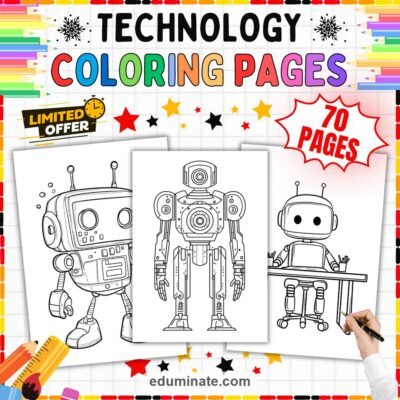
| STEM Technology Coloring Pages, Robotics and Coding | 1st to 5th | 70 | $8.99 |
The Simple Technology pack has 30 pages with clean lines and is aimed at preschool computer basics. The Modern Computers pack has 42 pages of laptops, tablets, coding screens and smart devices. The Computer Science pack has 56 pages, with 54 coloring drawings of cute laptops, smartphones, game controllers and CPU chips, and it introduces digital hardware. The STEM Technology pack has 70 pages for older children, with quadcopter drones, robotic arms, circuit boards, solar panels and microchip diagrams. All four state that their files print on US Letter with Fit to page.
The Technology Coloring Sheets Bundle puts four coloring packs on computers, gadgets and early coding into one download, with 198 pages for Pre-K to 5th grade. It costs $20.22. The listing shows separate prices adding up to $26.96, so you save $6.74, or 25 percent. The four packs above add up to the same 198 pages and $26.96, so the bundle is those four packs in one file. It suits a school technology teacher who works with several grades.
Using vehicle pages in class
Sort the vehicles
After coloring, ask children to sort their pages into groups. Land, water and air is the easy sort. A harder sort is vehicles that carry people and vehicles that carry things. Children argue about the fire truck and the bicycle, which is a good sign.
Make a class graph
Ask each child which vehicle they would ride to school if they could pick. Tally the answers on the board and make a bar graph. Younger children can stack counting cubes instead. Older children can write two sentences about the result.
Community helpers
Garbage trucks, mail trucks, rescue helicopters and buses all show people who help a town run. Color a page, then ask who drives it and what that person does all day. Children can write or draw one job on the back.
Write a short trip story
Give each child a vehicle page and ask for three sentences: where is it going, who is inside, what will it see? This works from kindergarten up, and the page gives a child who is stuck something to start with.
Traffic and safety talk
School bus pages open a short talk on getting on and off safely. Keep it concrete: wait for the bus to stop, hold the rail, sit down. Let children color a bus while you talk, since many listen better with a crayon in hand.
Using technology pages
- Color a laptop, then label the parts that children know, such as the screen and the keyboard.
- Ask children to draw one thing they would like a robot to do for them, and one thing they would not.
- For a solar panel page, talk about where the sun hits the panel and why it faces the sky.
- Keep these pages screen free. They work as a calm pause in a technology block.
A week on how people get around
Transportation stretches easily over five days, because every child has something to say about it.
- Monday: list every way you can get to school. Color a school bus or a city bus page.
- Tuesday: machines that build. Color an excavator or a bulldozer and talk about what each machine does.
- Wednesday: water and rails. Color a ferry, a subway car or a train.
- Thursday: helpers on wheels. Color a garbage truck, a mail truck or a rescue helicopter and ask who drives it.
- Friday: design your own vehicle on blank paper, then show it to a partner and explain what it carries.
On the last day children use what they learned all week, and you see which ones understood the difference between a vehicle that carries people and one that carries work.
Fine-motor and focus tips
- Vehicle wheels are good for practice with circles. Ask children to color around the rim first.
- Ask children to color the body of a vehicle in one color and the windows in another, and to leave the headlights for last.
- Some pages are crowded, such as a train with many cars. Offer a ruler or a bit of paper to cover the cars not yet in use.
- For restless children, set a timer for ten minutes and ask them to finish one vehicle.
Fine motor control with vehicle pages
Vehicle pages are good for fine motor control because they mix long shapes, such as a train body, with small ones, such as wheels and windows. Children who rush the long shapes learn that they have to slow down for the small ones. Ask them to hold the crayon like a pencil, with the thumb and two fingers, and to turn the paper rather than their wrist.
Which pack to pick
For Pre-K and kindergarten, the 37-page City Transit pack and the 30-page Simple Technology pack have the lowest price and the easiest pages. For first to third grade, the 56-page Computer Science pack and the 100-page Mega Fleet pack give more variety. Fourth and fifth graders can use the STEM Technology pack, where they can add labels and short captions.
Frequently asked questions
What grades do these packs suit?
The vehicle packs list K to 5th and Pre-K to 3rd grade. The technology packs run from Pre-K to 5th grade, with the robotics pack aimed at 1st to 5th.
Is there a free vehicle pack?
There is a free airplane pack with 14 pages for Pre-K to 1st grade. A free pack takes an email address, which opens a free account and keeps the file in My Library.
Can I print these on US Letter paper?
Both vehicle packs and all four technology packs state that their A4 files print on US Letter with Fit to page.
Which pack gives the most pages for the price?
The Mega Fleet pack has 100 pages for $11.99. The Technology bundle has 198 pages for $20.22.